
Create. Customize. Track.
Unlimited QR Codes · Unlimited Scans · Unlimited Analytics
Create dynamic QR codes that you can update anytime. Track every scan with real-time analytics.
From restaurant menus to business cards, marketing campaigns, and product packaging, create QR codes that work wherever your audience is.
Three steps to a scannable code.


Pick a QR code type
Choose what you want to share, whether it's a link, PDF, video, WhatsApp chat, image, Wi-Fi network, or more.
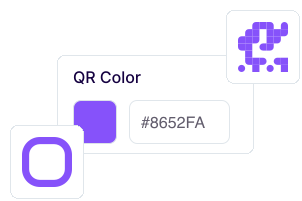
Customize the design
Choose your colors, customize the dots, add your logo, and make it your own.
 Download QR Code
Download & share
Export as PNG, SVG, or JPEG in high resolution. Use your QR code anywhere, from print to packaging.
Built to Do More Than Generate QR Codes
Full Customization
Match your brand with custom colors, dot styles, frames, and your own logo.
Editable After Printing
Update your QR code destination anytime without changing the printed QR code.
Scan Analytics
Track scans with real time insights, including location, device, and performance.
Password Protection
Protect your QR codes with a password and control who can access your content.
Activate / Deactivate
Turn your QR codes on or off whenever you need with a single click.
High-Quality Downloads
Download your QR codes in PNG, SVG, or JPEG for crisp results in print and digital.
One plan. Zero surprises.

Need Support? We're Here to Help.
Have a question or need assistance? Send us an email, and we'll get back to you as soon as possible.
Contact Support
AcreateQR Pro Plan
Cancel anytimeEverything you need to create professional QR codes, monitor performance, and keep your content up to date.
then $20/month recurring
No card required to start. We never charge you automatically.
- Dynamic & Static QR Codes
- Custom Design & Logo
- Unlimited Scans & Analytics
- Activate & Deactivate
- Bulk QR Creation
- Analytics Export
- API Access
Answers Before You Ask
A dynamic QR code lets you change its destination even after it's been printed. You can also track scan activity and manage your QR code from your dashboard, while static QR codes cannot be edited once created.
Yes. Customize colors, dot styles, frames, and add your logo to create QR codes that match your brand while remaining easy to scan.
Yes. Dynamic QR codes include real-time analytics, allowing you to monitor scan activity and better understand how your QR codes are performing.
Absolutely. Update the destination or content of your dynamic QR code anytime without changing the printed QR code itself.
Your first 7 days are free and include full access to every Pro feature — no card required. On day 6 we'll email you a reminder. If you haven't subscribed by the end of day 7, your QR codes are paused: scanning one shows an unavailable page and you can't create new ones. Nothing is deleted and nothing is charged automatically — your codes, designs and scan history are kept, and all of them start working again the moment you subscribe at $20 per month.
Yes. An account is required to create, save, manage, and edit your QR codes, as well as access scan analytics and other Pro features.
Download your QR code in PNG, SVG, or JPEG, making it easy to use for both digital content and high-quality printing.
Ready to Create?

Build, customize, and manage your QR codes from one dashboard.
Try every Pro feature free for 7 days. No card required.